
Job management software
Built for heating and plumbing, not every trade going
Most job management software was made for every trade at once, which is why it has never heard of a CP12. I only do heating, plumbing and HVAC. Talk to me and the quote, the invoice, the certificate and the diary sort themselves.
Free plan, or 14 days of everything with no card. No contract.
Why generic trade software never quite fits
It does not know your paperwork
A forms library with a gas certificate bolted into it is not the same as software that understands a CP12 expires, sets the next check date from it, and puts the job back in the diary a year later.
Dirty hands, tiny screens
You have been under a boiler or up a ladder all day. Most of it expects you to sit down and type like you are in an office, and you are not.
It stores the work, it does not do it
A database waits to be filled in. Nobody gets chased, nothing gets flagged, and the quote you never sent is the job you never won.
The three that matter in this trade
Signed and sent before you leave the drive
CP12s, warning notices, service and commissioning records, unvented G3 and the OFTEC oil forms. Start one in a tap from the job, capture both signatures, email the landlord. It all works with no signal, because a cellar is where certificates actually get filled in.
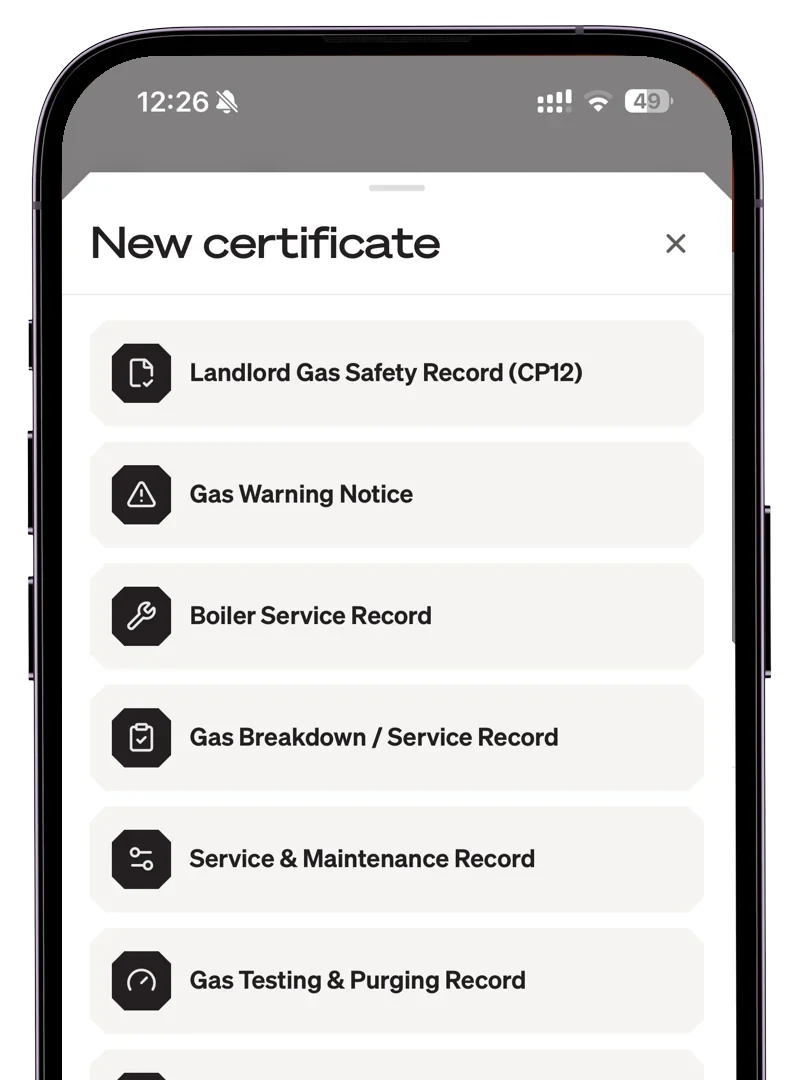
Last year’s services, rebooked without you chasing
Sign off a certificate and I set the next check due date from it. When it comes round I draft the message, you approve, and the work books straight back in as a linked job. When a batch falls due together you send the lot in one go.
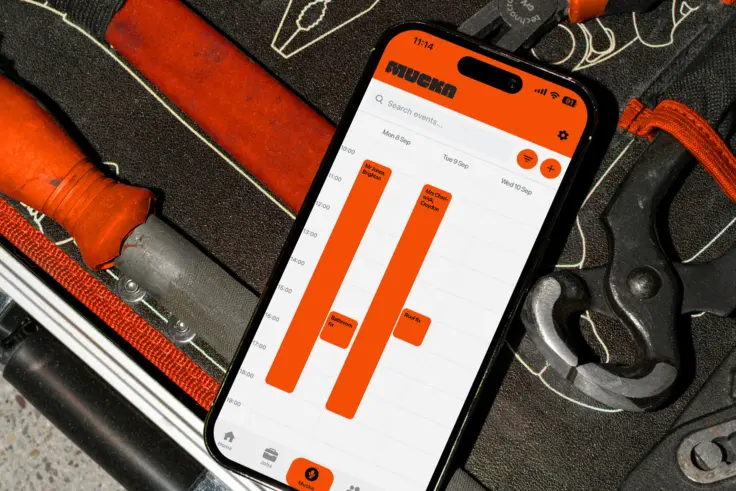
Quoted from the van, chased without you asking
Price the swap while you are stood in the airing cupboard and I draft the quote from your notes and your price list. Win it and the invoice is ready the moment the job is done, with a Pay button on it and a chaser drafted if it goes quiet.
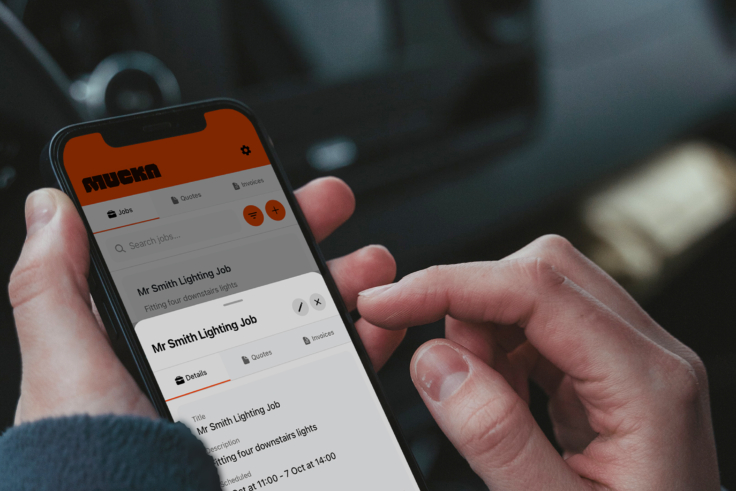
Same day, two ways of running it
- A tool built for every trade at once, so it knows nothing about a CP12
- Carbonless pads in the van and a pile of paperwork by Friday
- Typing the day up on the sofa after tea
- Per-seat billing that counts your subbies
- Built only for heating, plumbing and HVAC
- Certificates signed on the job, working with no signal
- Talk to me, or let your engineers reply on WhatsApp
- Free to start, £29 solo, and subbies never count
What heating and plumbing firms say
Rated 4.4 out of 5 from 12 reviews on Trustpilot.
Brilliant software. Makes my paperwork non existent in the evening. Really pleased with the app, couldn't recommend it enough.
Fantastic software that has revolutionised how I run my business. I now have an AI assistant that I am in touch with constantly, making everything run like clockwork.
Proper fellas who understand my business and have helped me put in processes I could never even think of. I'm not the 'AI' type but this is mustard.
I've been one of the early access customers for this app and it's changed my life. Not having to worry about admin of an evening has been a game changer for me.
Setting up has been a breeze and I'm working my way around it with the help of my receptionist.
Fantastic customer service. Sammy and his team work around the clock to help with any needs that may require their attention. No job is too big or small for them and it's been a pleasure working with them so far.
Frequently asked
What is the best job management software for heating and plumbing firms?
It depends on how you work. If you want something you can use from the van without typing, Mucka is built for that: voice-first job management software made only for UK heating, plumbing and HVAC firms. You talk, and the admin sorts itself.
Is there free job management software for gas and heating engineers?
Yes. Mucka has a Free Forever plan, and paid plans start with a 14-day trial and no card. If you do not subscribe you drop to Free Forever rather than losing your account. Paid is £29 a month for Solo and £39 per user for Team, and subcontractor seats are free. Most job management software charges £20 to £50 a month per user with no free tier at all.
Can it do gas certificates?
Yes, and they work with no signal, because a cellar is where certificates actually get filled in. CP12s and Landlord Gas Safety Records, warning notices, service and commissioning records and unvented hot water G3, plus the OFTEC CD/11 and CD/12 for oil. Start one from the job, capture both signatures, and email it before you leave the drive. The five F-Gas records for HVAC work are live too.
Do I need to be tech-savvy to use job management software?
Not at all. If you can send a voice note on WhatsApp, you can use Mucka. It is designed for engineers who would rather talk than type. There is no setup to wrestle with and no training day.
How do my engineers use it?
Mostly through WhatsApp, because that is where they already are. They get a morning brief with the address, the time and the notes, and reply on my way, on site or done. There is no new app for them to learn and no login for them to forget.
What features should I look for in a job management app?
For this trade: certificates that work offline, service reminders that rebook the annual round, quoting and invoicing you can do from the van, and something your engineers will actually use. Beyond that, look for whether it does the chasing for you or just stores what you type in.
How is Mucka different from other field service management software?
Most field service tools were built for an office manager, and for every trade at once. Mucka is built for the engineer on site, and only for heating, plumbing and HVAC. It watches the week, spots what is about to go wrong, and hands you the fix to approve with one tap.
Give the evening admin to me
Free to start. 14 days of everything with no card, no contract, and your subbies never count towards the bill.
 Talk to Mucka